
• Login
    • Transcript Repository
    • Client Portal
    • Resource Portal
  • Pay Online
  • Contact Us
1.866.999.8310
Aptus Court Reporting
  • Home
  • Services
    • Court Reporting
    • Trial Support Services
    • Legal Video Services
  • Technology
    • Aptus AI Summaries & Analysis
    • Aptus Capture
    • Aptus Connect
    • vTestify
  • About Us
    • Acquisitions
    • The Aptus Difference
    • Meet the Team
    • Independent Contractor Resources
  • Locations
  • Blog
  • Schedule Now
  • Click to open the search input field Click to open the search input field Search
  • Menu Menu
  • Home
  • Services
    • Court Reporting
    • Trial Support Services
    • Legal Video Services
  • Technology
    • Aptus AI Summaries & Analysis
    • Aptus Capture
    • Aptus Connect
    • vTestify
  • About Us
    • Acquisitions
    • The Aptus Difference
    • Meet the Team
  • Locations
  • Blog
  • Schedule Now
  • Pay Online

Archive for category: Video Conferecing

Aptus News, Changes in Court Reporting, Video Conferecing

Ten Lessons Learned from Remote Depos in 2020

Remote depositions dominated the headlines in the legal industry this past year.  It appears this trend will carry over into 2021 and maybe even beyond.  While Aptus Court Reporting and the industry as a whole were familiar with remote technology pre-2020, at the very least, the reporter would still be in the same room as the witness, allowing for easier capturing of testimony and seamless exhibit management.  Having all participants appearing remotely carries its challenges, and we’ve polled our reporters, videographers, and exhibit techs to share their feedback. What we’ve compiled below are the Top Ten Tips and Lessons learned to help ensure your remote depositions proceed as smoothly as possible.

Wishing you a Happy New Year and flawless remote depos in 2021!

  1. Practice, practice, practice. Conducting tests is the best way to make sure the technology is working before the day of the deposition. Being familiar with the technology and how all parties receive/view potential exhibits leaves far less room for delays and postponements.
  2. Provide exhibits to the reporting firm in advance. It is incredibly helpful when the reporters/exhibit techs have access to exhibits the night before the deposition at the latest. This allows them to prepare for the deposition, which results in less interruptions during the deposition and, when applicable, a better real-time transcript. The more information you can provide the better, and sending that information the night before versus right before the depo sets everyone up for success.
  3. Know your options for presenting exhibits. Inquire about exhibit-presentation options.  Aptus offers free training specifically tailored to how best to present your exhibits.  You can present and introduce yourself, have the videographer present (if your depo is noticed for video), or hire one of our exhibit techs to manage your exhibits.  
  4. Use the call-in option for audio.  If you have any difficulties with voice, volume, or clarity at the beginning of the proceedings or during testing, use the call-in option versus your device’s audio. Call in from either a cell phone (if you have good reception) or a land line.
  5. Clearly identify yourself. If you are calling in by phone, please identify yourself to the reporter and restate who you are when you start objecting or speaking.  Only the phone number is shown on the screen when you dial in by phone, so the reporter has no way to know who you are unless you say it out loud.
  6. Patience is a virtue. Allow time for technical issues (which inevitably can happen), such as audio feedback or connectivity glitches, to get resolved.  Make sure to log on to the deposition at least 15 minutes before the deposition begins.
  7. Limit Cross-Talk. Pause between the question and the answer to allow the next speaker to begin.  When two people speak simultaneously on Zoom, no audio will come through and it will be impossible for the reporter to capture the testimony.
  8. Use headphones. It makes a HUGE difference if participants wear headphones.  The sound quality is far better, and there are fewer times when the speaker is unintelligible.
  9.  If you’re speaking, let the reporter see your face. If the witness is in the same office as their counsel, testify from separate rooms so that masks can be removed.  It is very difficult for a reporter to capture testimony when they are unable to see the person’s face.
  10. Use mute and silence notifications. Be mindful of notifications “dinging.” It can be very distracting and interferes with the audio quality, which leads to more interruptions.  Mute all electronic devices and mute yourself if you are not the questioning party.  Remember that dogs will bark and children will play in the background and Zoom will pick up even the slightest sounds.

To learn more about Aptus’ remote deposition offerings and best practices, schedule a free training session: Schedule one here

https://aptuscr.com/wp-content/uploads/2021/08/qtq80-nj0ALe.jpeg 1440 2160 garromarketing https://aptuscr.com/wp-content/uploads/2021/08/APTUS-OFFICIAL-Horizontal-margin-300x112.png garromarketing2020-12-30 15:25:222021-11-05 21:39:04Ten Lessons Learned from Remote Depos in 2020
California Court Reporters, Video Conferecing

Are Court Reporters Now Technology Experts?

The Traditional Definition of Court Reporting

court-reporterCourt Reporter – noun

a stenographer employed to record and transcribe an official verbatim record of the legal proceedings of a court.

This is the definition of a court reporter (dictionary.com). Their job, as defined above, and understood by the courts is to capture everything that is being said in the room and then prepare a transcript. There is no official record without court reporters. While simply defined, the duties of a reporter in the modern day are expanding well beyond the “standard definition.”

Then vs. Now – A Court Reporter’s Arsenal of Technology

Let’s look at a few scenarios where technology is becoming more prevalent in depositions both in the actual room and remotely:

Real-time: This feature allows attorneys to instantly view the transcript in real-time, hence the name. This requires the reporter to set up the connection by setting up cloud-based streaming sessions and sometimes troubleshooting the connection to another attorney’s computer. Oh yeah, now you can stream to iPads and tablets as well, so make note of that.

eDepoze: Here’s a quick description of this product. It allows the attorneys to conduct a deposition with no paper exhibits. Using an iPad or laptop, eDepoze’s cloud-based server helps mark and store exhibits with the attorney marking everything. No need for the reporter to keep exhibit stickers. However, her role is still vital to the proceedings. The reporter must first go through a training session with an eDepoze rep. After that, they are a Certified eDepoze Reporter. Great, awesome, terrific. Now, the reporter will be responsible for helping all parties log in, including the witness. Should anything go wrong, since they are the Certified Reporter, are they responsible for troubleshooting as well?

Web-based Video Conferencing: This is a popular medium to conduct depositions. Often times, the reporter will be with the witness while counsel is remote. They may be asked to setup a laptop with a webcam. Sounds easy, right? Is it really, though? What happens if the connection fails? What happens if the webcam fails? What happens if the computer crashes?

When adding in all these technologies in addition to the normal duties of taking down what EVERYONE IN THE ROOM IS SAYING, court reporters end up going well beyond their “defined” role.

What do you think? Should the definition of a court reporter be expanded to include other duties?

https://aptuscr.com/wp-content/uploads/2021/08/qtq80-kCGvdC.jpeg 1440 2160 garromarketing https://aptuscr.com/wp-content/uploads/2021/08/APTUS-OFFICIAL-Horizontal-margin-300x112.png garromarketing2016-03-18 11:55:182021-11-05 21:39:07Are Court Reporters Now Technology Experts?
Aptus News, Video Conferecing

Optimizing Your Web-Based Video Conference – Part II

OPtimizing Web-based video conferencingIn a previous blog, I outlined some steps to take in order to optimize you web-based video conference (Click here for previous article). Since then, I thought it best to add a few more so all your bases are covered.

6.) Make sure your laptop has anti-virus software. The other day while conducting a test, I saw a little notification pop up reminding me to check my anti-virus software. This isn’t like ignoring an oil change or an overdue library book. No, this is serious! Without the proper anti-virus protection, well, in a word – VIRUSES! Yeah, probably not a good idea to conduct a deposition with privileged information being exchanged when the possibility of cyber hackers exist.

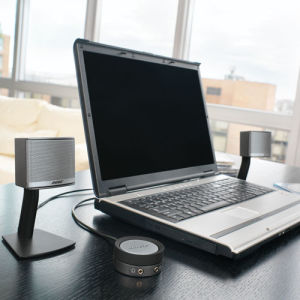
7.) Use external speakers. Laptops come in all shapes and sizes and so do the specifications. One might have a superior camera but limited gain when it comes to volume. Pick up a set of desktop speakers in case you have a soft-spoken speaker or in case the acoustics of the room interfere with the sound.

8.) Disable face-tracking on your webcam. The face tracking does what the title implies, tracks your face. That means every time you move, it will follow your face wherever it goes. So if you’re conducting a deposition and you keep looking down at your notes, the camera will follow your face as you look down. This can make the other participant frustrated and even dizzy with all the movement.

9.) Check your Power Save settings. In order to save power consumption and avoid screen burnout, most computers will either go dark or go into Screen Saver mode. This is common when there is no activity for a predetermined time. Unfortunately, only having a browser window open doesn’t count as activity. In order to avoid having your screen go dark or show pictures of your family vacation while conducting a deposition, consult with your IT professional about changing your Power Save settings during your session.

About the Author: Mike Tisa is the Director of Litigation Technology for Aptus Court Reporting. He is a Certified Legal Video Specialist and a Trial Presentation Professional through the National Court Reporters Association. Mike has been in the legal field since 2007 and is continuously researching advancements in the legal technology industry. For more on Mike’s background, visit his LinkedIn profile. http://www.linkedin.com/in/miketisa/

https://aptuscr.com/wp-content/uploads/2021/08/iStock-1160205593.jpg 1415 2120 garromarketing https://aptuscr.com/wp-content/uploads/2021/08/APTUS-OFFICIAL-Horizontal-margin-300x112.png garromarketing2015-02-02 09:41:142021-11-05 21:39:07Optimizing Your Web-Based Video Conference – Part II
Aptus News, Video Conferecing

Optimizing Your Web-Based Video Conference

As litigators turn to more cost effective ways to conduct out of town depositions, web-based video conferencing is becoming increasingly popular. As an alternative to traditional video conferencing, web-based video conferencing allows more flexibility requiring only a high speed internet connection and a computer equipped with a webcam and microphone. This eliminates the somewhat difficult task of locating two locations that are equipped with traditional video conferencing systems. So if all you need is a computer, internet, webcam and microphone, everything should be set to go, right? Think again…

While having all those items are paramount in order to proceed with your deposition, there are some preliminary steps to consider and take. Here are my top tips for conducting a smoother web-based video conference:


1.) Verify that both locations have high speed internet, not just internet. A hardwired connection is usually the best source for the fastest bandwidth. Since this is an increasingly popular way to conduct depositions, some law firms have dedicated WIFI networks designed specifically for this type of service. This is a luxury and not common, especially at hotels. Make sure your scheduling coordinator asks for a high speed, hardwired internet connection.


2.) Make sure your computer monitor is big enough or at least has multiple outputs. You probably wouldn’t want both the deponent and opposing counsel to have to huddle around a tiny laptop screen. Make sure the monitor is big enough to allow both parties to comfortably participate or use one of your outputs to connect to a larger monitor or TV.


3.) Be prepared by having an audio backup through the phone. As we all know, the internet has a mind of its own. Even with traditional video conferencing systems, freezing and audio dropouts can AND DO occur. Nothing is more frustrating to all parties, especially the court reporter, to be in mid-answer and lose the rest due to poor connectivity. If you are unsure of the internet connection, try setting up an audio backup that integrates the phone with the video. This allows you to see the witness and hear them through the phone while the audio and video sync up with virtually no latency.


4.) Test, test and test again. There is no such thing as over testing when it comes to technology. Have both parties sit at different angles and talk to see where it might be best to place the deponent to ensure they are both seen and heard. Also, try to test using the equipment you will actually be using for the deposition. One computer might work great and the other might require a little tweaking. DO NOT put yourself in the position of having to troubleshoot on the day of the deposition, especially when it could have been avoided.


5.) Make sure the deponent is a good candidate for conducting a deposition this way. While this can be a great and cost effective way to conduct a deposition, it might not be the best way. If the deponent is hard of hearing or soft spoken, it could make for a potentially long day. Constantly asking a deponent to repeat his answer and having them constantly ask counsel to repeat his question can become extremely tedious. It also might sacrifice the quality of the record because more than likely if you are having trouble hearing the witness, the court reporter is also having trouble.

About the Author: Mike Tisa is the Director of Litigation Technology for Aptus Court Reporting. He is a Certified Legal Video Specialist and a Trial Presentation Professional through the National Court Reporters Association. Mike has been in the legal field since 2007 and is continuously researching advancements in the legal technology industry. For more on Mike’s background, visit his LinkedIn profile. http://www.linkedin.com/in/miketisa/

https://aptuscr.com/wp-content/uploads/2021/08/iStock-515071286.jpg 1414 2119 garromarketing https://aptuscr.com/wp-content/uploads/2021/08/APTUS-OFFICIAL-Horizontal-margin-300x112.png garromarketing2014-06-24 09:56:502021-11-05 21:39:07Optimizing Your Web-Based Video Conference
Search Search

Follow us on Facebook

Recent Posts

  • How AI Is Influencing Court Reporting and Litigation Support
  • Why Deposition Summaries and Analysis Matter in Litigation
  • California’s Court Reporter Shortage: How Aptus Is Helping Bridge the Gap
  • Meet Mary Gagne – Director of Business Development
  • Aptus Court Reporting Welcomes Lucy Huete as a Director of Business Development in San Francisco Bay Area

Archives

Categories

  • AI Summaries & Analysis
  • Aptus News
  • California Court Reporters
  • Changes in Court Reporting
  • Legal Videography
  • News
  • Remote Proceedings
  • Uncategorized
  • Video Conferecing
  • Video Depositions

Aptus is a leading legal services agency in court reporting, arbitration and trial support services.

DISCLOSURES

  • Terms of Use
  • Privacy Policy

QUICKLINKS

  • Home
  • Services
  • About Us
  • Locations
  • Blog
  • Contact
  • Acquisitions
  • Schedule Now
  • Independent Contractor Resources

ONLINE PAYMENTS

Pay Online

LOGIN

  • Client Portal
  • Transcript Repository
  • Resource Portal

LOCATIONS

San Diego
401 W. A Street, Suite 1680
San Diego, CA 92101

Orange County
2040 Main Street, Suite 240
Irvine, CA 92614

San Francisco
235 Pine Street, Suite 1100
San Francisco, CA 94104

Riverside
6809 Indiana Ave, Suite 100
Riverside, CA 92506

Sacramento
2450 Venture Oaks Way, Suite 200
Sacramento, CA 95833

Los Angeles
1000 Wilshire Boulevard, Suite 1900
Los Angeles, CA 90017


Fresno
8050 N. Palm Avenue, Suite 300 Fresno, CA 93711

Oakland
1300 Clay Street, Suite 600
Oakland, CA 94612

Chesterfield, MO
400 Chesterfield Center
Suite 400
Chesterfield, MO 63017

Clayton, MO
8112 Maryland Avenue
Suite 400
Clayton, Missouri 63105

St. Louis, MO
100 South 4th Street
Suite 550
St. Louis, MO 63102

© Copyright [year] - Aptus Court Reporting
  • Link to LinkedIn
  • Link to Facebook
Scroll to top Scroll to top Scroll to top

This site uses cookies. By continuing to browse the site, you are agreeing to our use of cookies.

Accept settingsExitSettings

Cookie and Privacy Settings


How we use cookies

We may request cookies to be set on your device. We use cookies to let us know when you visit our websites, how you interact with us, to enrich your user experience, and to customize your relationship with our website.

Click on the different category headings to find out more. You can also change some of your preferences. Note that blocking some types of cookies may impact your experience on our websites and the services we are able to offer.

Essential Website Cookies

These cookies are strictly necessary to provide you with services available through our website and to use some of its features.

Because these cookies are strictly necessary to deliver the website, refusing them will have impact how our site functions. You always can block or delete cookies by changing your browser settings and force blocking all cookies on this website. But this will always prompt you to accept/refuse cookies when revisiting our site.

We fully respect if you want to refuse cookies but to avoid asking you again and again kindly allow us to store a cookie for that. You are free to opt out any time or opt in for other cookies to get a better experience. If you refuse cookies we will remove all set cookies in our domain.

We provide you with a list of stored cookies on your computer in our domain so you can check what we stored. Due to security reasons we are not able to show or modify cookies from other domains. You can check these in your browser security settings.

Google Analytics Cookies

These cookies collect information that is used either in aggregate form to help us understand how our website is being used or how effective our marketing campaigns are, or to help us customize our website and application for you in order to enhance your experience.

If you do not want that we track your visit to our site you can disable tracking in your browser here:

Other external services

We also use different external services like Google Webfonts, Google Maps, and external Video providers. Since these providers may collect personal data like your IP address we allow you to block them here. Please be aware that this might heavily reduce the functionality and appearance of our site. Changes will take effect once you reload the page.

Google Webfont Settings:

Google Map Settings:

Google reCaptcha Settings:

Vimeo and Youtube video embeds:

Other cookies

The following cookies are also needed - You can choose if you want to allow them:

Privacy Policy

You can read about our cookies and privacy settings in detail on our Privacy Policy Page.

Privacy Policy
Accept settingsExit
You are now leaving the Aptus Court Reporting website.

As a convenience to our clients, Aptus offers safe & secure online payments through a third-party payment processor. To take advantage of this online payment option, simply click “Pay Now” below, and you will be redirected to a secure payment site to process your payment.

Pay Now
No, Thank You
Aptuscr.com is a 100% secure website.