
• Login
    • Transcript Repository
    • Client Portal
    • Resource Portal
  • Pay Online
  • Contact Us
1.866.999.8310
Aptus Court Reporting
  • Home
  • Services
    • Court Reporting
    • Trial Support Services
    • Legal Video Services
  • Technology
    • Aptus AI Summaries & Analysis
    • Aptus Capture
    • Aptus Connect
    • vTestify
  • About Us
    • Acquisitions
    • The Aptus Difference
    • Meet the Team
    • Independent Contractor Resources
    • Insights
  • Locations
  • Schedule Now
  • Click to open the search input field Click to open the search input field Search
  • Menu Menu
  • Home
  • Services
    • Court Reporting
    • Trial Support Services
    • Legal Video Services
  • Technology
    • Aptus AI Summaries & Analysis
    • Aptus Capture
    • Aptus Connect
    • vTestify
  • About Us
    • Acquisitions
    • The Aptus Difference
    • Meet the Team
    • Independent Contractor Resources
    • Insights
  • Locations
  • Schedule Now
  • Pay Online

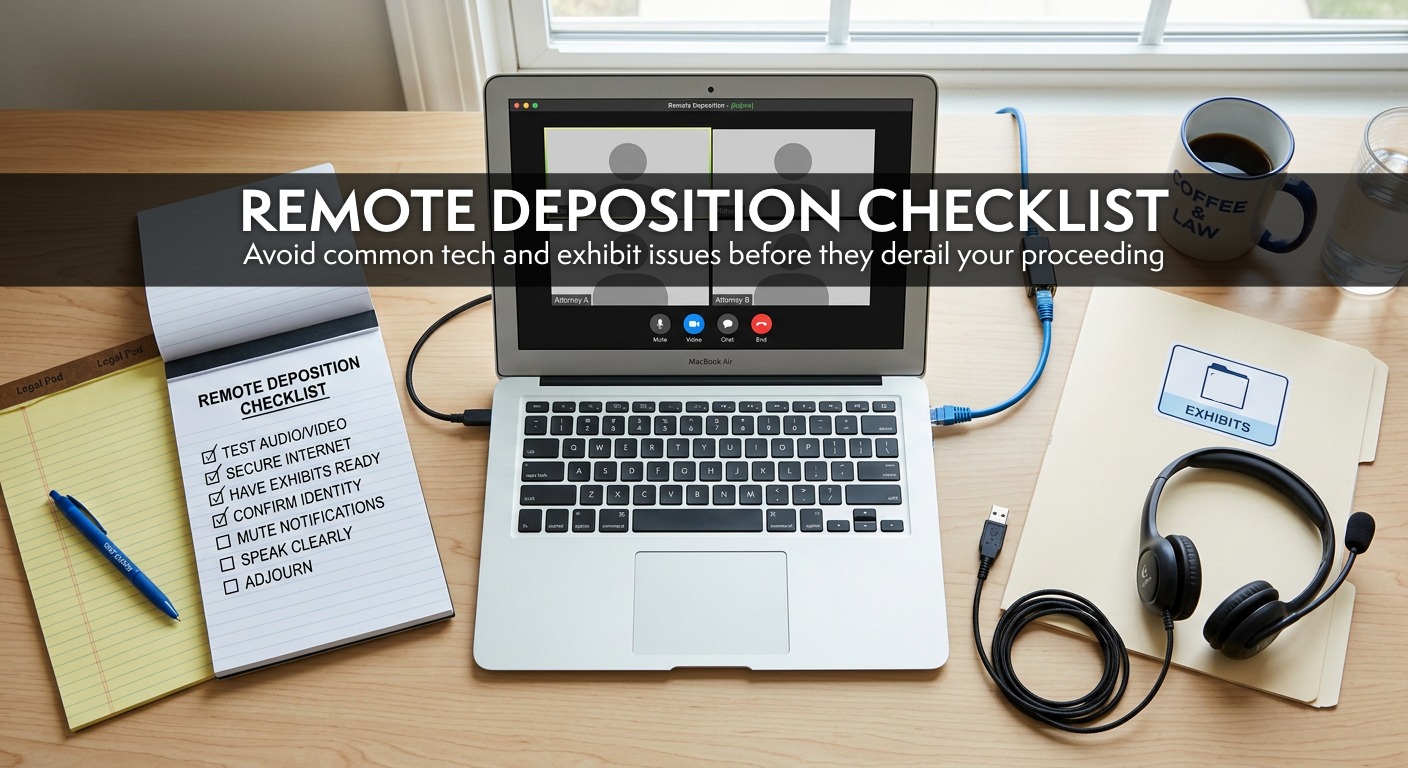
Best Practices for Remote Depositions (and How to Avoid Common Issues)

Remote depositions are here to stay, but small technical issues can derail even the best-prepared team. This guide covers simple, proven steps to avoid

Remote depositions are here to stay, but let’s be honest, they don’t always go off without a hitch. A little preparation can make all the difference. Below are some of the most common issues we see (and how to avoid them).

1. Keep Everything Updated

Before your deposition, make sure your operating system and remote platform (Zoom, Teams, etc.) are fully up to date. This helps prevent last-minute updates, interruptions, and performance issues.

2. Camera and Mic Not Working? It Might Be “Hijacking”

If you switch between platforms like Teams and Zoom, your camera and microphone can get “hijacked” by the wrong app.

What to do:

  • Close all other video platforms
  • Disconnect from your VPN or (if possible) avoid logging into your VPN
  • Restart your computer
  • Check your system settings to confirm your mic and camera are enabled for your platform. This is especially common on Macs, particularly if you haven’t used video tools much before.

3. Can’t Be Heard Clearly?

Newer computers often have microphone settings that toggle between:

  • Omni-directional (picks up sound from all around you)
  • Uni-directional (focuses on sound directly in front)

If you tend to move around while speaking, omni is your friend. If you’re in a noisy environment, uni-directional can help, but only if you stay put.

4. Hardwired vs. Wi-Fi

A wired internet connection is always best.

While Zoom says 5 Mbps is sufficient, we’ve found that 20 Mbps (upload and download) is a much safer baseline for a smooth experience.

Helpful tips:

  • Ask others in your home or office to limit internet use during the deposition
  • Close unnecessary applications to free up processing power
  • Use phone audio as a backup if your connection struggles

5. What Platform Works Best?

Zoom. Hands down.

It’s the most stable, reliable and widely familiar platform, which means fewer issues and less time troubleshooting.

6. Should You Use a Phone or Tablet?

Short answer: use a computer whenever possible.

Phones, tablets, and Chromebooks can work in a pinch, but because of lower processing power (among other technical challenges) make it much harder to:

  • Manage exhibits (upload, download, and view)
  • Maintain a stable connection

Plus, relying on cellular service increases the risk of dropped connections.

Common Remote Deposition Challenges (and How to Avoid Them)

Even with the right setup, issues can still come up. Here are the most common challenges we see and how to handle them.

Connectivity, Audio & Exhibit Issues

In our experience, the top three challenges are:

  1. Poor internet connection
  2. Poor audio quality
  3. Lack of familiarity with handling exhibits

If you want to avoid all three, we recommend scheduling a quick walkthrough with our team.

Audio Feedback

If multiple people are in the same room and logged into the same deposition, audio feedback can quickly become an issue, even if microphones are muted.

Best practice:

  • Use one shared audio source whenever possible
  • Otherwise, spread out and lower speaker volume

Working on a VPN or Server

If you’re accessing documents through a VPN or server, you may run into issues uploading exhibits. We recommend downloading documents to your local hard drive before the deposition and uploading them from there.

AI Note Takers

Even though AI tools are disabled during our depositions, they sometimes join automatically through calendar integrations.

If we see them, we’ll quietly remove them but it’s a good idea to check your settings ahead of time to avoid surprises.

Exhibit Retention

When exhibits are shared through the chat as courtesy copies, they are only accessible during the live session. Once participants log off, those files can no longer be retrieved.

What to keep in mind:

Your court reporter or videographer must download all shared exhibits before the session ends to ensure they are properly retained for the record.

Remote depositions don’t have to be complicated. With the right setup and a little preparation, you can avoid most common issues and keep things running smoothly. And when questions come up, the Aptus team is always here to help.

Search Search

Recent Posts

  • Best Practices for Remote Depositions (and How to Avoid Common Issues)
  • How AI Is Influencing Court Reporting and Litigation Support
  • Why Deposition Summaries and Analysis Matter in Litigation
  • California’s Court Reporter Shortage: How Aptus Is Helping Bridge the Gap
  • Meet Mary Gagne – Director of Business Development

Aptus is a leading legal services agency in court reporting, arbitration and trial support services.

DISCLOSURES

  • Terms of Use
  • Privacy Policy

QUICKLINKS

  • Home
  • Services
  • About Us
  • Locations
  • Insights
  • Contact
  • Acquisitions
  • Schedule Now
  • Independent Contractor Resources

ONLINE PAYMENTS

Pay Online

LOGIN

  • Client Portal
  • Transcript Repository
  • Resource Portal

LOCATIONS

San Diego
401 W. A Street, Suite 1680
San Diego, CA 92101

Orange County
2040 Main Street, Suite 240
Irvine, CA 92614

San Francisco
235 Pine Street, Suite 1100
San Francisco, CA 94104

Riverside
6809 Indiana Ave, Suite 100
Riverside, CA 92506

Sacramento
2450 Venture Oaks Way, Suite 200
Sacramento, CA 95833

Los Angeles
1000 Wilshire Boulevard, Suite 1900
Los Angeles, CA 90017


Fresno
8050 N. Palm Avenue, Suite 300 Fresno, CA 93711

Oakland
1300 Clay Street, Suite 600
Oakland, CA 94612

Chesterfield, MO
400 Chesterfield Center
Suite 400
Chesterfield, MO 63017

Clayton, MO
8112 Maryland Avenue
Suite 400
Clayton, Missouri 63105

St. Louis, MO
100 South 4th Street
Suite 550
St. Louis, MO 63102

© Copyright [year] - Aptus Court Reporting
  • Link to LinkedIn
  • Link to Facebook
Link to: How AI Is Influencing Court Reporting and Litigation Support Link to: How AI Is Influencing Court Reporting and Litigation Support How AI Is Influencing Court Reporting and Litigation SupportLegal team using AI to organize deposition testimony
Scroll to top Scroll to top Scroll to top

This site uses cookies. By continuing to browse the site, you are agreeing to our use of cookies.

Accept settingsExitSettings

Cookie and Privacy Settings


How we use cookies

We may request cookies to be set on your device. We use cookies to let us know when you visit our websites, how you interact with us, to enrich your user experience, and to customize your relationship with our website.

Click on the different category headings to find out more. You can also change some of your preferences. Note that blocking some types of cookies may impact your experience on our websites and the services we are able to offer.

Essential Website Cookies

These cookies are strictly necessary to provide you with services available through our website and to use some of its features.

Because these cookies are strictly necessary to deliver the website, refusing them will have impact how our site functions. You always can block or delete cookies by changing your browser settings and force blocking all cookies on this website. But this will always prompt you to accept/refuse cookies when revisiting our site.

We fully respect if you want to refuse cookies but to avoid asking you again and again kindly allow us to store a cookie for that. You are free to opt out any time or opt in for other cookies to get a better experience. If you refuse cookies we will remove all set cookies in our domain.

We provide you with a list of stored cookies on your computer in our domain so you can check what we stored. Due to security reasons we are not able to show or modify cookies from other domains. You can check these in your browser security settings.

Google Analytics Cookies

These cookies collect information that is used either in aggregate form to help us understand how our website is being used or how effective our marketing campaigns are, or to help us customize our website and application for you in order to enhance your experience.

If you do not want that we track your visit to our site you can disable tracking in your browser here:

Other external services

We also use different external services like Google Webfonts, Google Maps, and external Video providers. Since these providers may collect personal data like your IP address we allow you to block them here. Please be aware that this might heavily reduce the functionality and appearance of our site. Changes will take effect once you reload the page.

Google Webfont Settings:

Google Map Settings:

Google reCaptcha Settings:

Vimeo and Youtube video embeds:

Other cookies

The following cookies are also needed - You can choose if you want to allow them:

Privacy Policy

You can read about our cookies and privacy settings in detail on our Privacy Policy Page.

Privacy Policy
Accept settingsExit
You are now leaving the Aptus Court Reporting website.

As a convenience to our clients, Aptus offers safe & secure online payments through a third-party payment processor. To take advantage of this online payment option, simply click “Pay Now” below, and you will be redirected to a secure payment site to process your payment.

Pay Now
No, Thank You
Aptuscr.com is a 100% secure website.